
Logging should be faster than resting. In Repstra a set is three numbers and a tap — the app runs the rest timer, spots your PRs and files the history.
- 1
Open the Train tab and start
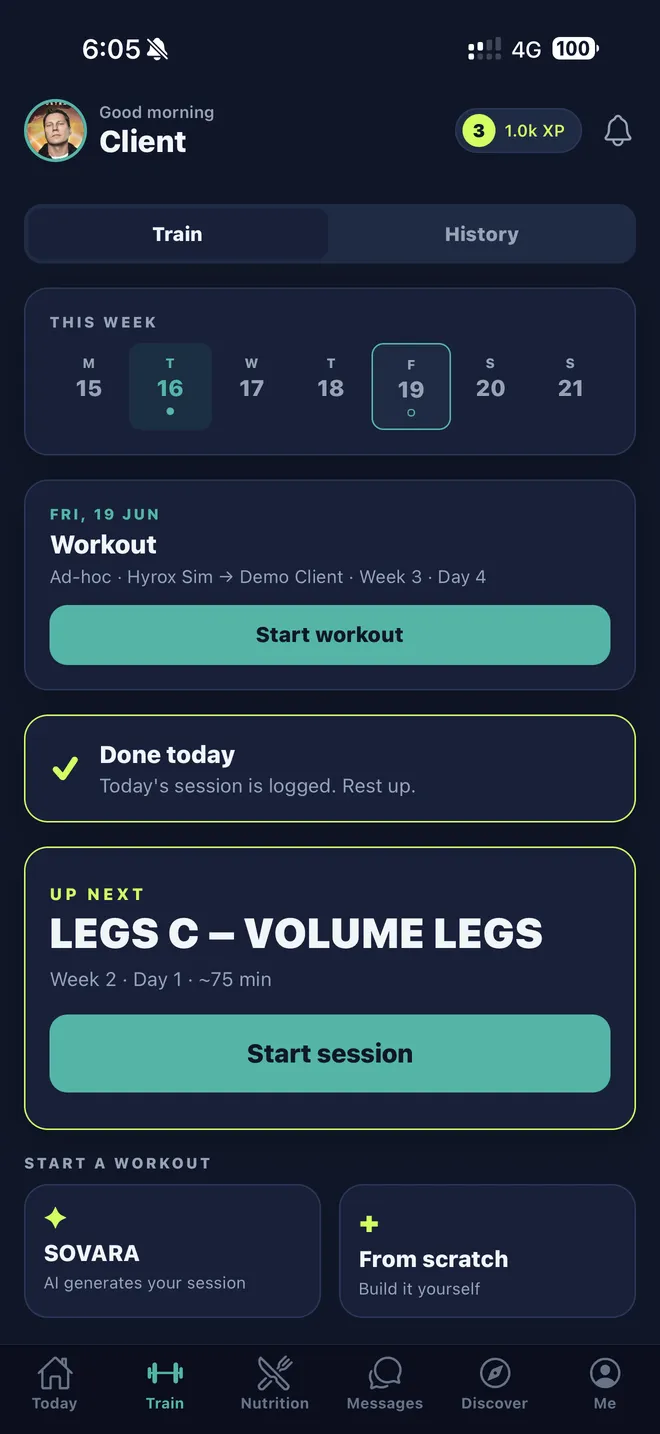
Open Train. If your coach has assigned a program, today's session is right there — tap Start workout. Training without a coach? You're not locked out: under Start a workout, have SOVARA generate your session or build one From scratch.
- 2
Log each set
For every set, enter kg, reps and RPE and tap the ✓. The rest countdown starts on its own — +15s if you need it, Skipif you don't. Machine taken? Open the exercise menu and tap Replace exercise to swap in an alternative. (Logged a set by mistake? Long-press the tick to undo.)
- 3
Chase the PR
Beat a previous best and the app celebrates on the spot — 🏆 New PR! Every PR is saved to your history, and your coach sees it too.
- 4
Finish and review
Tap Finish workout to close the session. The recap shows your duration, total volume and sets — rate the session, Share it if it deserves showing off, and find it any time under History.
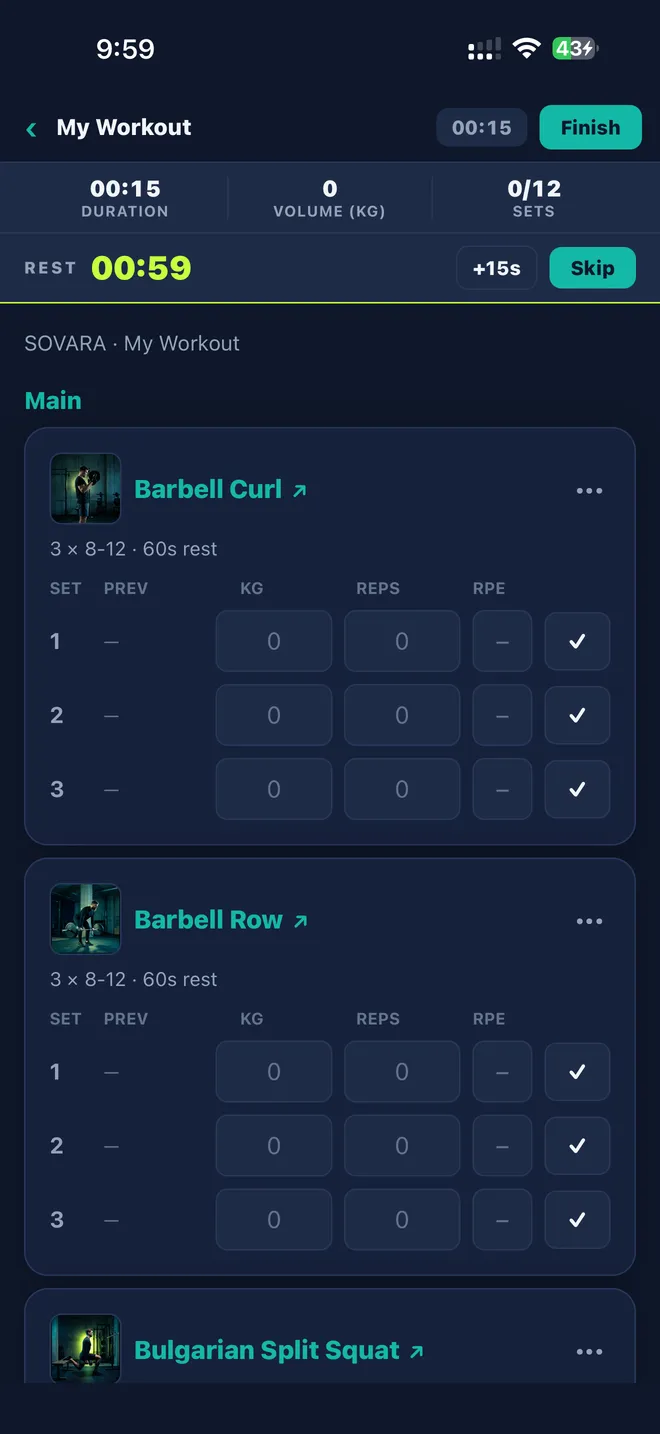
The live workout player.
Event mode: lap the stations, get your splits.