
A program is your workouts laid out over weeks — the thing a client actually follows. The builder is a calendar grid: weeks down, days across, workouts dragged in.
- 1
Start a new program
Go to Training → Programs and click + New program. Give it a name (it auto-saves from there) and set Weeks (1–16), Days / week (1–7) and Difficulty.
- 2
Drag workouts onto the grid
The left rail lists your workouts — search, or filter Strength / Conditioning / Mobility. Drag a workout onto any week/day cell; drag chips between cells to rearrange. Inside a day you can also add a quick conditioning block with + circuit (AMRAP, EMOM, Tabata, Circuit, Rest, Warm-up or Cool-down).
- 3
Duplicate and periodise
Each week row has its own toolbar: Duplicate → copies the week forward, Clear empties it, and Deloadmarks it as a deload phase. Rename weeks in place to label your phases (“Accumulation”, “Peak”…). For the bulk moves, the SOVARA slash bar does them in one line — /deload week 4, /copy week 1 to 2-4, /shift forward 1 — always shown as a diff for you to accept.
- 4
Assign it from the client's profile
Here's the step people miss: there's no assign button in the program editor. Assignment happens on the client's page — open the client under Clients, choose the program and a start date — or in step 3 of the new-client onboarding wizard. Days anchor to the Monday of the start week, so a Wednesday start still lines up with your grid.
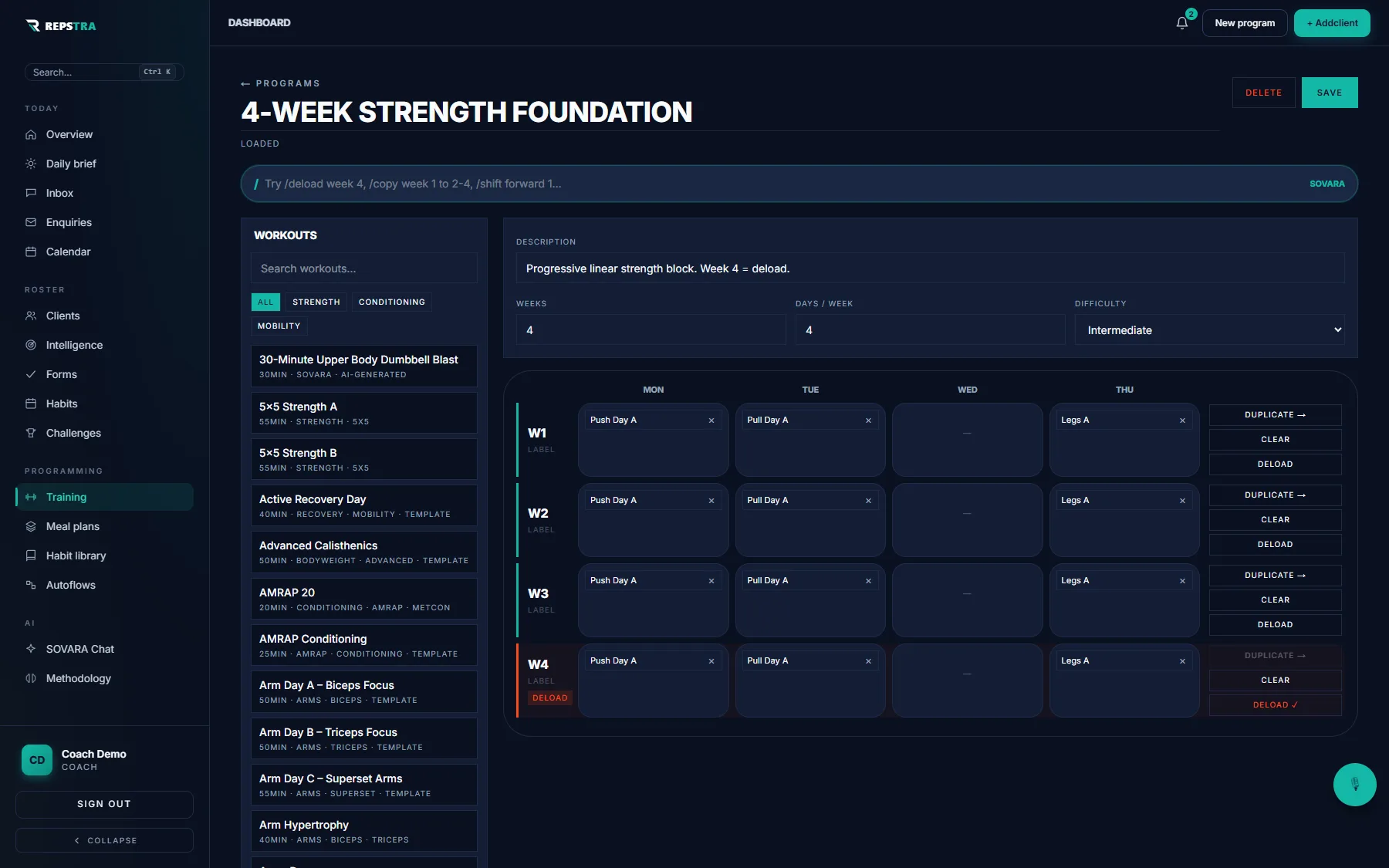
A 4-week program on the grid — workouts dragged in, week 4 toggled Deload.