
SOVARA is only as good as what it knows about you. The Coaching Brain is where you give it that: upload the documents that define how you coach, and every draft reply and briefing starts sounding like you wrote it — because, in effect, you did.
- 1
Gather your documents
The best candidates are the things you find yourself repeating: programming principles, your nutrition philosophy, movement standards, onboarding packs, the ten questions every new client asks. Formats: PDF, DOCX, TXT, MD or HTML, up to 15 MB per file. (Video isn't supported in the uploader.)
- 2
Drop them into your Coaching Brain
Open your Coaching Brain and you'll see the dropzone — Drop documents to train SOVARA. Drag files on, or click Choose files and select several at once.
- 3
Watch them index
Each file reports its own progress: Uploading… → Parsing & embedding… → Indexed · searchable now. The stat tiles at the top track how many documents are ready. If one fails, it says so — you can Re-index it from the library list below.
- 4
Put it to work
That's the whole job. From here, SOVARA's drafts, daily briefings and suggestions are grounded in what you uploaded. Ask it something a client would ask you and check the answer — if it's missing nuance, that's your cue for the next document.
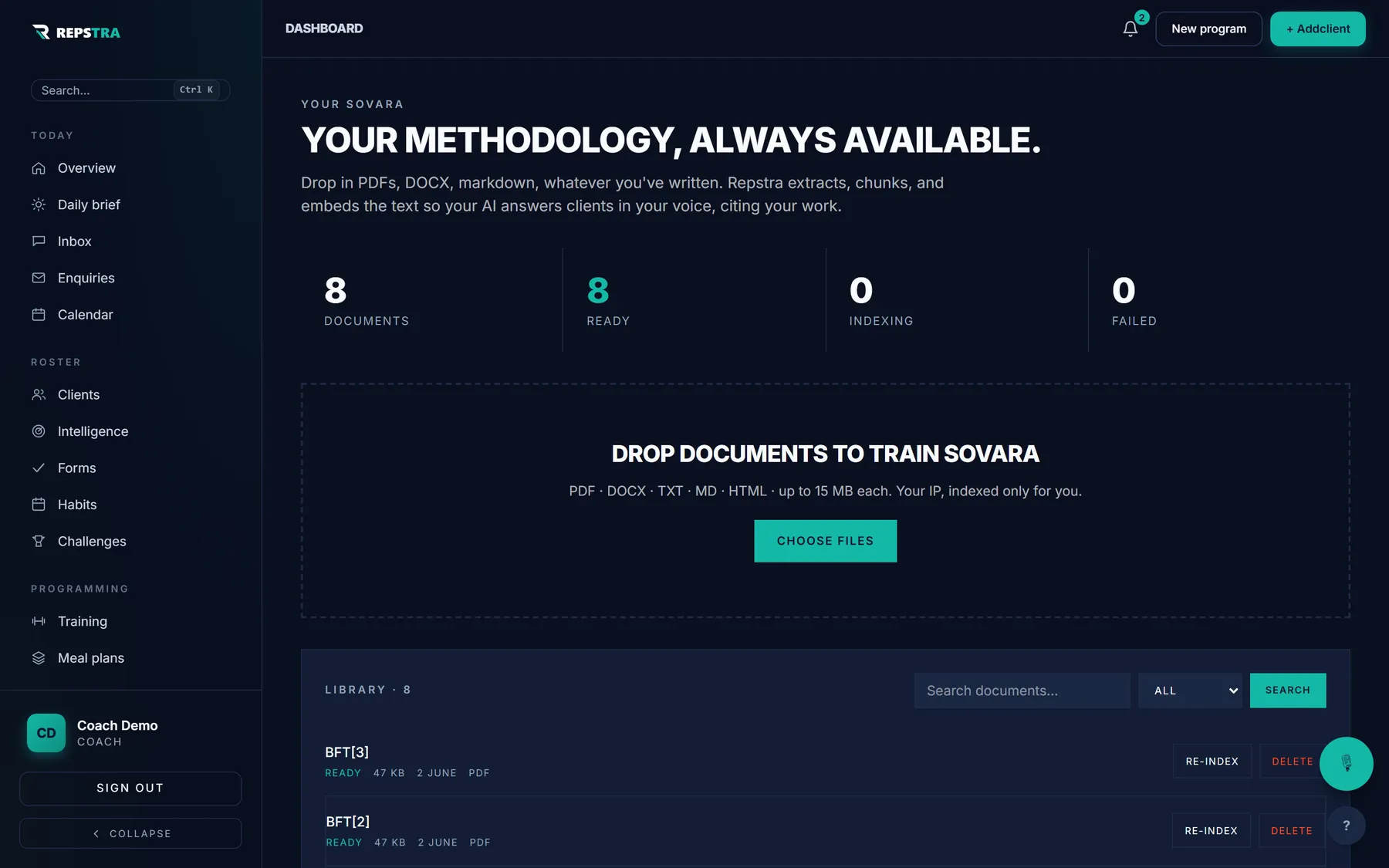
The Coaching Brain: your methodology, indexed and searchable.
Most coaches answer the same twenty questions on repeat. An afternoon of uploading turns those into instant, on-brand draft replies — hours back every single week.