
The marketplace is where Repstra earns you new clients: people browsing find-a-coach see your profile, your methodology and your packages, and hire you directly. Listing is free — and you keep 0% commission on your existing clients; Repstra only takes a cut on clients the marketplace sends you.
- 1
Fill in your identity
On your marketplace profile editor, set your Handle (URL slug) — that becomes your public URL — plus Headline, Bio, Location, Years experience, Price / month (AUD) and Response time (hrs). Upload a cover photo with Upload cover photo(JPG, PNG or WebP under 5 MB).
- 2
Add credentials and methodology
Tag your Specialties, Certifications and Languages(type and press Enter), then write the methodology section: positioning statement, philosophy, coaching style, check-in frequency. Clients on find-a-coach filter by goal and read this before anything else — it's your pitch, so write it like one.
- 3
Clear the quality checklist
The Listing quality checklist in the editor tracks five requirements live:
- A headline
- A bio of 100+ characters
- At least one specialty
- A cover photo
- At least one indexed methodology doc in your Coaching Brain
That last one matters: your published methodology is what makes a Repstra listing more than a business card. If you haven't uploaded anything yet, see feeding SOVARA your methodology.
- 4
Toggle the listing on and save
Switch on List on marketplace and click Save profile. With all five checklist items green you're approved automatically — the editor says “All clear — auto-approved on save” — and your badge flips to Live on marketplace. If something's missing, the status tells you exactly what to fix.
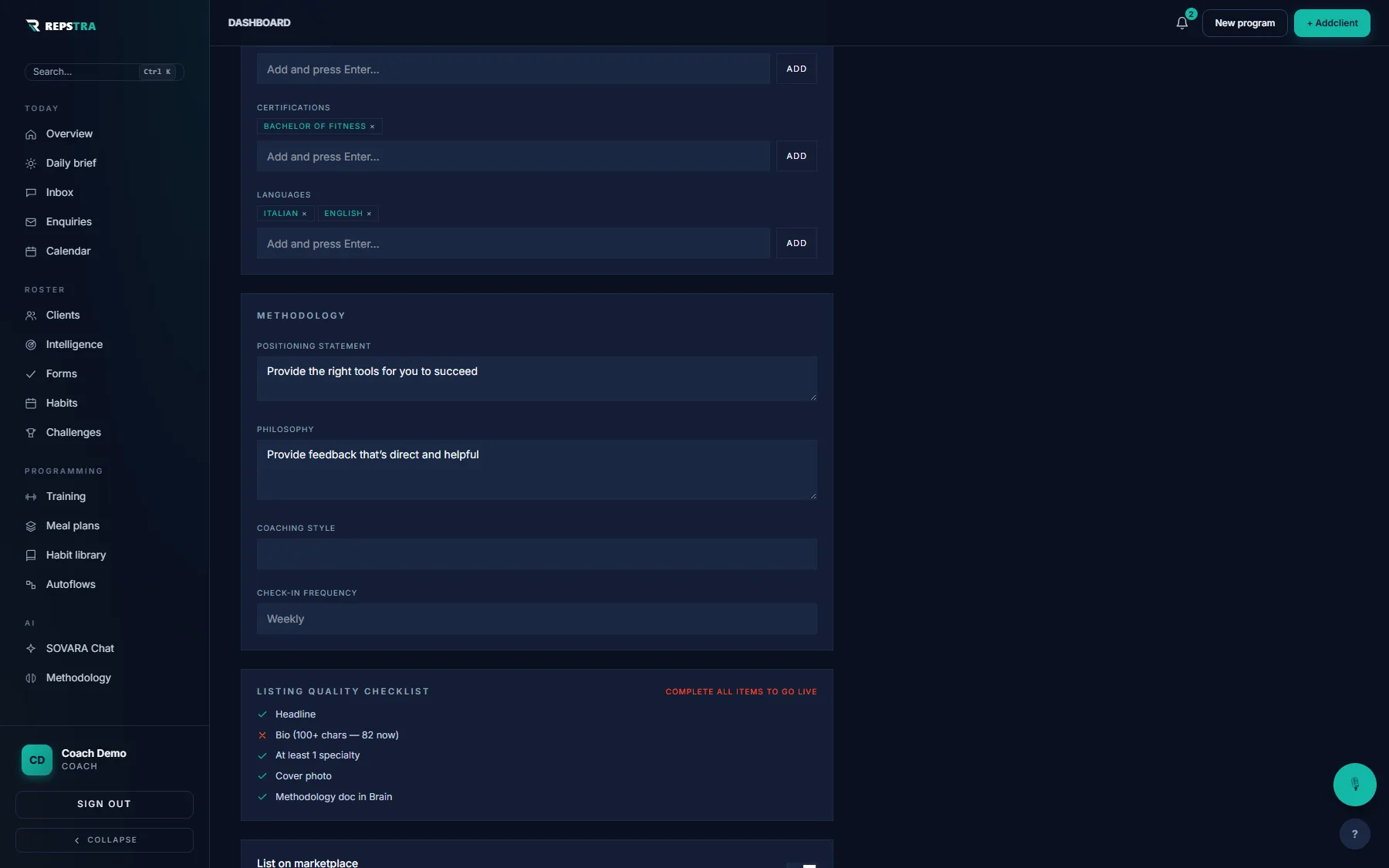
The profile editor — the quality checklist tracks each requirement live as you type.
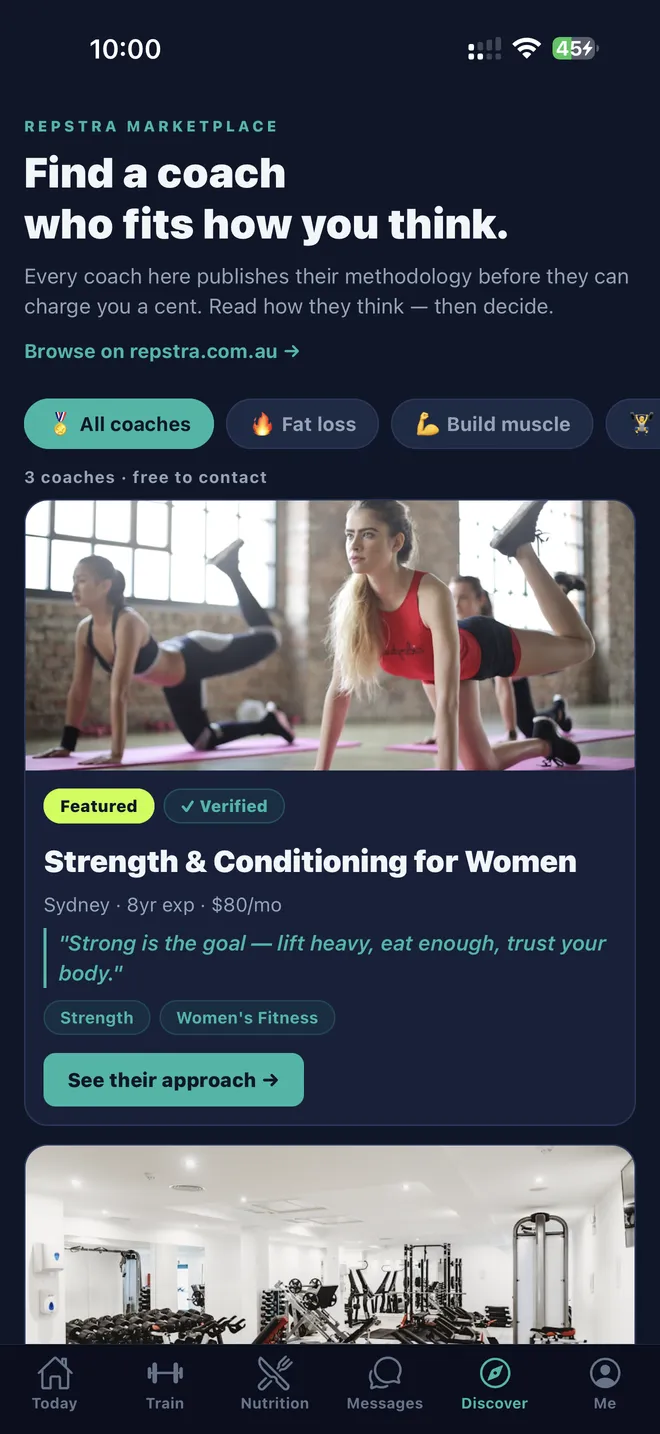
How clients see it: the marketplace in the Repstra app.