
Nothing sells coaching like a client saying it worked. Reviews sit front and centre on your marketplace profile, and the ask takes under a minute — the trick is timing it to a win.
- 1
Open Reviews
Go to Reviews and find the Get more reviewscard. One prerequisite: your review link is built from your marketplace handle, so set that first on your marketplace profile if you haven't (the page will tell you).
- 2
Share your review link anywhere
Your shareable review link shows your public review URL with a Copy button. Anyone with the link can leave a review — no login required — which means it works for past clients, gym members, anyone. Put it wherever your clients already are: a WhatsApp message, your Instagram bio, the end of a check-in reply.
- 3
Or email a client directly
Under Email a client, pick from Select a client… (it fills their address) or type any email, then click Send request. The client gets a branded email linking to your review form.
- 4
Reply to reviews as they land
Reviews arrive on this same page with a reply box — post a short public replyto each. A profile where the coach visibly shows up reads as a coach who'll show up for you.
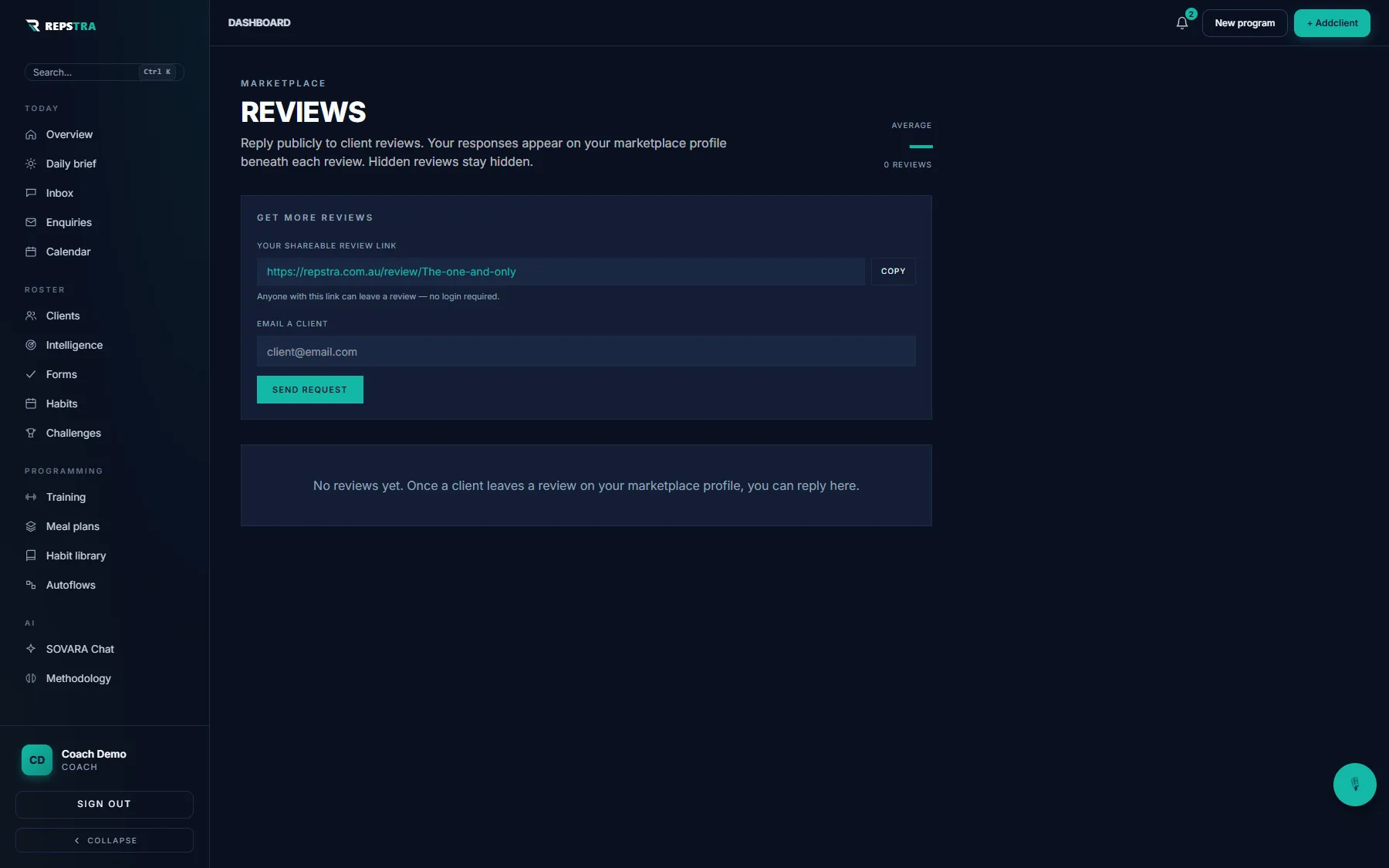
Get more reviews — copy the no-login link, or email a client directly.